EVENT VENDOR HANDOVER KIT / EXCEL + PDF
The right details.
For each vendor.
Turn approved event instructions into a focused brief. Give your venue, caterer or AV team the times, locations and owners they need.
One payment.
Reuse for your next handover.
Blank workbook + worked example
Desktop Excel required. Review and send each PDF yourself.
FROM A REQUEST TO A CURRENT BRIEF
Keep the decision
connected to the detail.
- 01
Record approved instructions
Add vendors and concise operational details. Set the approved status for instructions that belong in the current brief.
- 02
Review what changed
Log the request and decision. Manually apply approved changes to the current details and record completion.
- 03
Prepare the vendor’s PDF
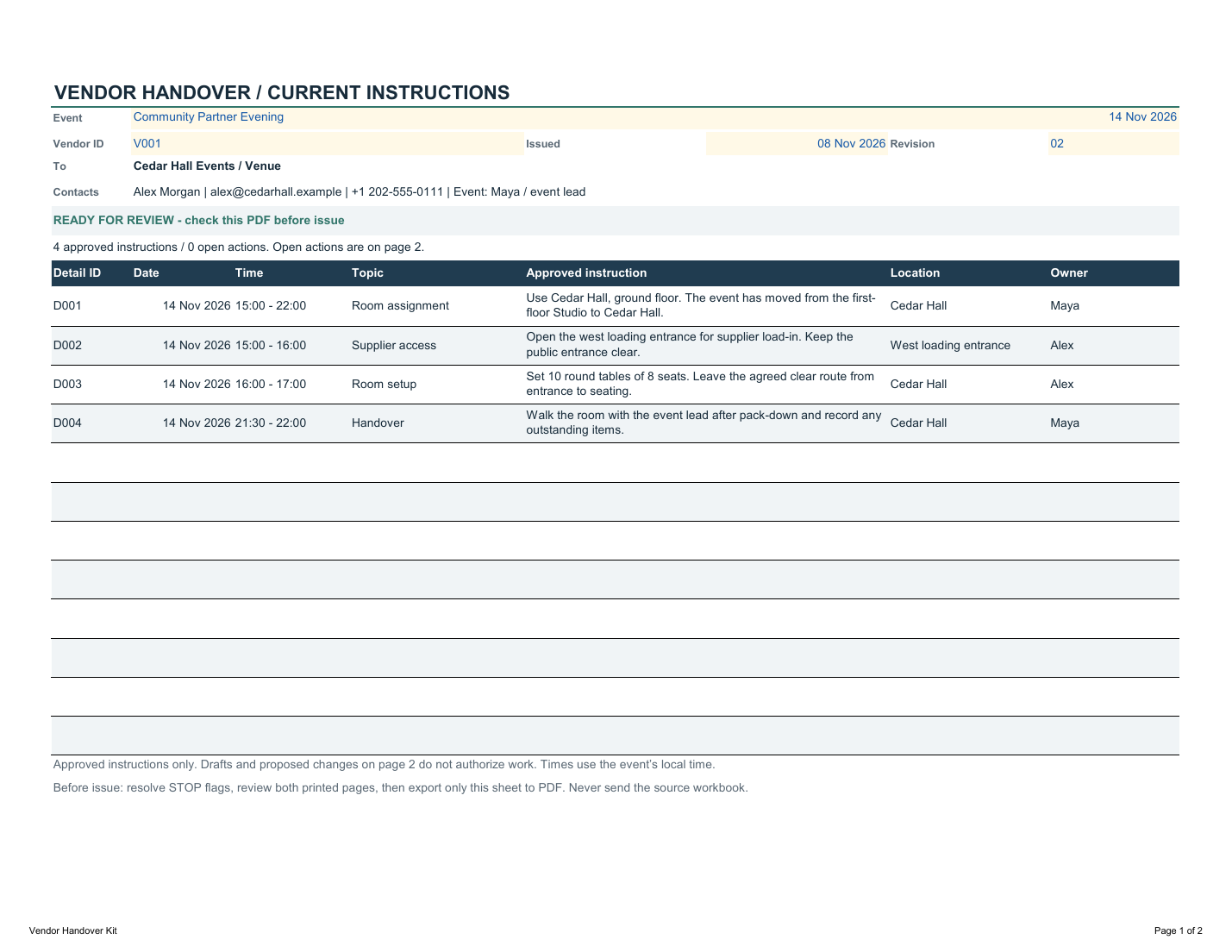
Select a vendor. Check their instructions and outstanding actions, resolve warnings, then export the two-page brief and send it.
A SMALL CHANGE. SEVERAL PEOPLE AFFECTED.
The room moved.
The brief should reflect it.
In the worked example, the venue moves from Studio to Cedar Hall. The approved room instruction names Cedar Hall, the setup and handover entries use the same location, and each line has a responsible person.
The workbook helps assemble the information and highlight issues. It does not approve changes, notify suppliers or confirm that they have read the PDF.
EVENT VENDOR HANDOVER KIT · VERSION 1.0
Prepare the next handover.
- Blank four-sheet Excel workbook + worked example
- Three-page quick-start PDF + example vendor brief
- Start instructions and one-business use license
One business with up to five internal users.
ONE-TIME DOWNLOAD
No subscription
Six files. Two workbooks. A clear example to follow.
Get Vendor HandoverApplicable tax is additional. Desktop Excel required.
BEFORE YOU DECIDE